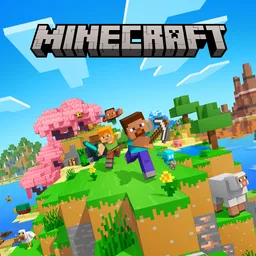
About Minecraft APK
Minecraft is an open-world sandbox game built around blocks. There is no single path to follow: start a short gathering session, explore a newly generated world, or return to a project over time. Each world is laid out differently, so the places to explore and build change from one world to another. Play on your own, build with friends, or join a community that matches how you want to play.
Minecraft Features
Create freely in Creative mode
Creative mode gives you unlimited resources, so you can place blocks without collecting materials first. Build a home, farm, city, castle, or your own design, and reshape the landscape without managing health, hunger, or hostile mobs.
Gather and survive in Survival mode
Survival mode asks you to find resources before crafting useful items. Gather blocks and materials, make tools, weapons, and armor, and keep track of health and hunger. When night arrives, hostile mobs can appear, so building a shelter is an important early task.
Explore changing block worlds
Worlds include places such as forests, caves, mountains, and water. Travel through them, mine blocks, and use what you find to change the environment. Since each world generates differently, exploration can reveal new building locations and materials.
Play in shared worlds
Join friends in shared worlds to build or explore together. Public servers host community activities and minigames, while Minecraft Realms provides a private world for invited players that stays available to the group.
Choose optional Marketplace content
Marketplace content lets you change a character’s appearance or customize selected worlds. Skins change how your character looks; texture packs, maps, and add-ons can alter visuals or add content. These extras are optional, and you can also play with the standard game settings.
Multiplayer and Version Matching
Before joining a friend’s world, check that everyone is using a matching game version. A version mismatch may prevent players from connecting to the same multiplayer world, especially when one player has updated and another has not.
How to Start Playing Minecraft on Android
Minecraft uses touch controls to move, look around, break blocks, and place items. Start a new world and choose a mode that fits how you want to play:
- Select Creative for unlimited building materials, or Survival to gather resources and craft items.
- Use the on-screen controls to move and look around. Tap and hold a block to break it, then select a block from your inventory to place it.
- In Survival mode, collect wood and nearby materials, then use the crafting area to make basic tools.
- Gather more materials during the day and build a simple shelter before nightfall, when hostile mobs can appear.
- Continue alone, invite friends to a shared world, or choose a server or Realm that suits your plans.
Get Started with Minecraft
Choose Creative for open-ended building, Survival for gathering and crafting, or multiplayer for shared activities. Each mode lets you set your own pace in a block-based world.
Official Information
Google Play Store
Technical Information
| Information | Details |
|---|---|
| Package name | com.mojang.minecraftpe |
| Version | 1.26.10.25 |
| File size | 316.2 MB |
| Updated | October 2, 2026 |
| Developer | Mojang Studio |
| MD5 | ece65ed53ddb7df746e50dacefc61d35 |
| SHA1 | 61ed398d9254a2ec68da0d8403e2bbb25313ecf0 |
How to Install Minecraft APK
- Download the APK.
- Open the downloaded file.
- Allow installation from this source if Android asks.
- Install the application.